
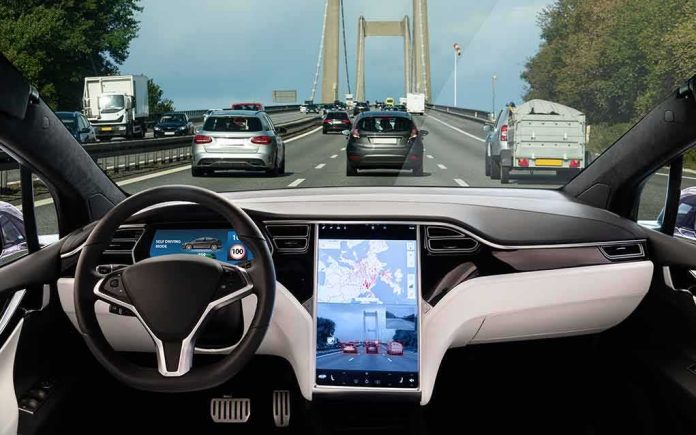
The car that gets the software right wins not because it dazzles, but because it stays out of the way; GM’s new split-screen approach in its 2027 full-size pickups is the first credible attempt to let drivers keep the familiarity of CarPlay or Android Auto without surrendering the dashboard’s most important vehicle controls.
The Short Version
- GM’s 2027 Silverado and Sierra debut a hybrid UI: phone projection in a persistent window alongside native vehicle functions, not as a full-screen takeover.
- The design keeps critical truck data—trailering, gauges, climate, off-road views—visible while CarPlay or Android Auto runs next to it.
- GM frames this as listening to customers who want projection and integrated vehicle awareness in one view.
- This is a targeted truck rollout, not a blanket policy; GM has not committed comparable projection behavior across its EV lineup.
What GM actually changed: from “either/or” to “both/and”
Most in-car projection systems force a mode switch: launch CarPlay or Android Auto, and the phone platform effectively owns the screen until you back out. GM’s redesigned interface for the 2027 Chevrolet Silverado and GMC Sierra breaks that binary. CarPlay and Android Auto live in a dedicated pane—a sizable card that behaves like a primary app—while core truck software remains persistently visible and interactive in adjacent regions. Reviewers who saw the demo describe split-screen layouts where projection coexists with native maps, trailering views, climate, and vehicle status, rather than burying them a menu-deep tap away. The concept is simple but overdue: let drivers glance at Apple Maps or Spotify while never losing sight—and quick touch access—to towing, off-road, or HVAC essentials.
Mechanically, this is an HMI architecture choice, not a mere skin. By allocating persistent UI real estate to both projection and vehicle subsystems, GM reduces context switches and reflow events, the very things that inflate glance duration and cognitive load. If you’ve ever fumbled for a trailer brake setting while CarPlay had commandeered the entire canvas, the value is obvious. It also aligns with how people actually drive: they want their phone’s apps, but they also want the truck to act like a truck, immediately and predictably.
How we got here: the control tug-of-war over the dashboard
GM’s journey has been messy because it sits at the fault line between handset ecosystems and automaker ambitions. In 2023, GM said it would phase out CarPlay and Android Auto in EVs in favor of a native, Google-powered stack—publicly citing stability, safety, and deeper integration with vehicle systems as rationales. That decision aligned with a wider industry push to make the car a software platform in its own right—capturing telemetry, controlling in-vehicle commerce, and tightening the feedback loop between features and subscriptions. The problem: customers had already come to treat phone projection as table stakes. When GM reintroduced CarPlay for its 2027 trucks via split-screen, it did so while arguing it was listening to buyers who wanted projection without sacrificing native capability. The hybrid UI is the political compromise made tangible on glass.
Framed this way, GM’s new design is not a capitulation so much as a recognition of base rates. Most drivers prefer the apps they already know; most automakers need reliable access to vehicle data and controls. The only durable solution is a layout that makes both first-class citizens on the same screen.
What the new truck UI gets right—and what remains unproven
Three things stand out as sound HMI practice. First, persistent affordances: keeping climate, gauges, or tow parameters in view while projection runs avoids attention-taxing mode errors. Second, spatial memory: a CarPlay pane that stays put reduces hunt time compared to full-screen toggles. Third, task coherence: navigation, media, and messaging stay in the projection pane, while vehicle states and functions remain native—each domain where it belongs, each glance predictable. Early hands-on reporting consistently describes this arrangement for the 2027 pickups.
Two cautions remain. The strongest evidence pertains to these specific trucks; whether GM will extend the same hybrid behavior to its EVs is not established in the current public record. And there is, so far, no independent, controlled usability data comparing common tasks—e.g., route entry, media switching, or phone-call handoff—between the new GM layout and full-screen CarPlay. Until we see eye-tracking, glance duration, and error-rate benchmarks, claims of superiority should be read as promising design intent rather than settled fact.
Competing views: customer demand versus platform discipline
GM’s stated critique of projection has emphasized stability and safety—complaints about dropouts, lag, and clunky switching had been attributed internally and by executives in press to the traditional phone-mirroring model. The split-screen approach is a direct attempt to blunt those complaints without abandoning projection entirely. At the same time, consumer sentiment has been clear: the absence of CarPlay in GM EVs spawned an aftermarket of dongles and software hacks precisely because a chunk of buyers judged native replacements as insufficient for their day-to-day use. Reviewers testing those workarounds reported setup friction and reliability hiccups—Bluetooth routing, mode-switch quirks, and Wi‑Fi juggling—which, if anything, underscores the demand for an official, integrated solution rather than tinkering on the margins.
It is also fair to separate two questions that too often get conflated. One: is a deeply integrated native stack better for vehicle-specific operations like towing, off-road management, or energy routing? Likely yes, because those rely on CAN bus and vehicle state models the phone does not own. Two: does that justify removing projection from routine driver tasks like media and messaging, where the phone’s UI is the learned behavior? GM’s truck UI implicitly answers no; it lets projection handle the familiar while native software controls the mechanical heart of the vehicle.
GM Wants You to Know It Still Plans to Ditch Apple CarPlay in Future EVs https://t.co/0TbK3SXqxj pic.twitter.com/m7ljr8iOrd
— MacRumors.com (@MacRumors) September 21, 2026
Why this matters next: the mature pattern for mixed-control HMIs
Beyond GM, the industry template is becoming clear. Mature HMIs will treat the center display as a multiplexed canvas, not a monarchy. Phone projection will be one pane among several, sized and prioritized by context—towing, trailering, highway assist, or off-road maneuvering—while critical vehicle controls persist on screen. Native stacks will retain authority over safety-critical functions and vehicle-state summaries; projection will continue to serve the media, messaging, and map behaviors users have already mastered. The key performance metric is not feature count but glance efficiency under load.
For GM specifically, two milestones will separate promise from proof. First, coverage scope: whether and when the hybrid layout lands in volume models beyond the 2027 pickups, especially EVs where the absence of projection triggered the backlash. Second, validation: publishing or permitting independent testing of distraction metrics, task times, and reliability under real driving conditions. Until then, the 2027 trucks look like the right architectural answer to a debate that never should have been binary in the first place—proof that the dashboard can honor both the vehicle’s needs and the driver’s habits on the same sheet of glass.
Sources:
consumeraffairs.com, thenextweb.com, ground.news, appleworld.today, engadget.com, ceoutlook.com, autoblog.com